How do I reset my module progress in order to generate a new certificate?
By default, Learning Link once completed modules will remain marked as complete so that users can easily revisit content and download resources at their leisure, without resetting their progress or removing their certificate.
However, in some circumstances users may wish to restart the module and generate an updated certificate.
1. To access a previously completed module, navigate to the module landing page. You should see the option to download your certificate and, instead of a 'Start' button, a 'Retake module' button.
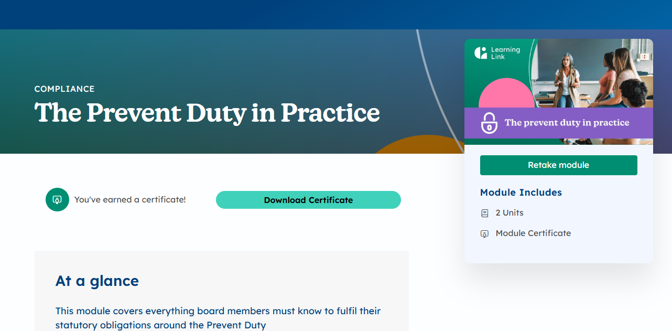
2. Click 'Retake module' to access the module contents OR restart it.
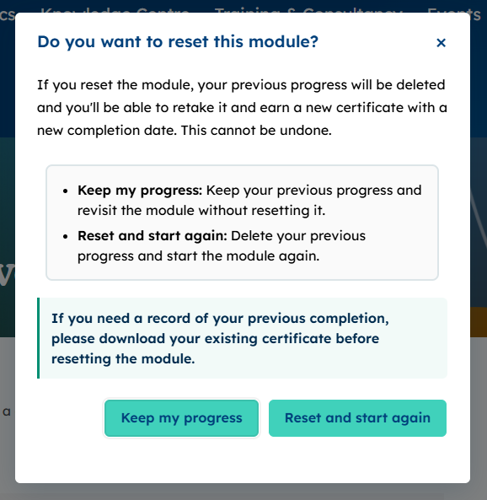
3. You will be given the option to
a) Keep your progress and revisit the module to refresh your memory or access resources, etc.
OR
b) Reset your progress, delete your old certificate, and retake the module from the beginning. Please note, we always advise users to download their certificate before restarting the module, so you have a record as previous completions won't be retained on your training record.
4. Click 'Reset and start again'. Your certificate and previous training will be removed from the system and you will be able to start the module from scratch.
5. Once the module is completed and a new evaluation submitted, you will be able to download a new certificate with the new completion date, and any account administrators will see your new completion in your training record.

