How do I use the document storage system?
Uploading individual documents
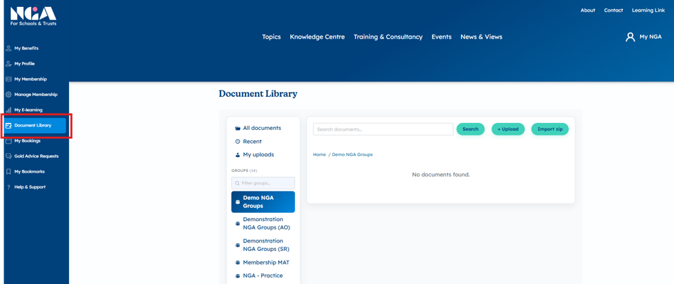
Select ‘Document Library’ from the side bar.
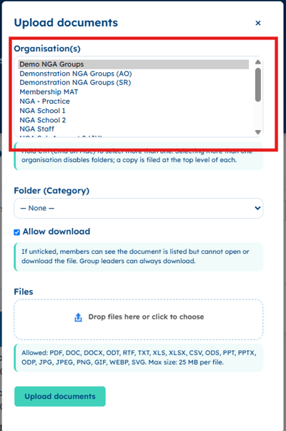
Select which of your organisations you want to upload a document to. You can select more than one by holding ctrl as you select them from the list.
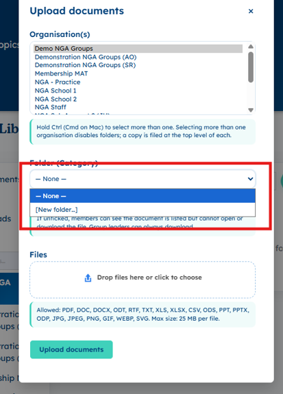
If you have only selected one then you can choose which folder you want to add the document to, or create a new folder.
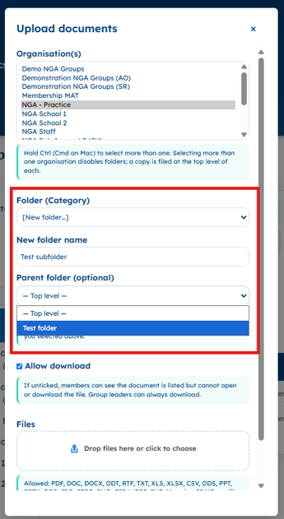
When you are creating a new folder, you can also assign an existing parent folder.
You can drag and drop files into this box or click on the box to open the files on your computer. Please ensure they are PDF, DOC, DOCX, ODT, RTF, TXT, XLS, XLSX, CSV, ODS, PPT, PPTX, ODP, JPG, JPEG, PNG, GIF, WEBP, SVG. and no bigger than 25 MB per file.
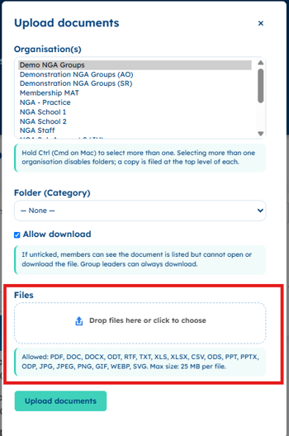
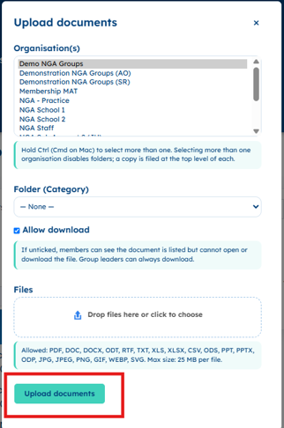
Select ‘Upload documents’.
Bulk uploading documents
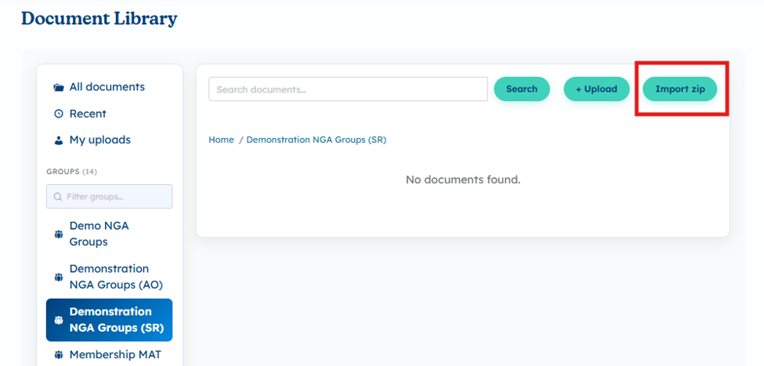
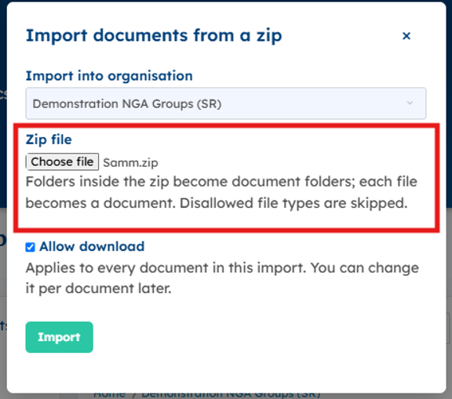
If you have more than one document to upload, you can do this using ‘Import zip’.
Select your organisation.
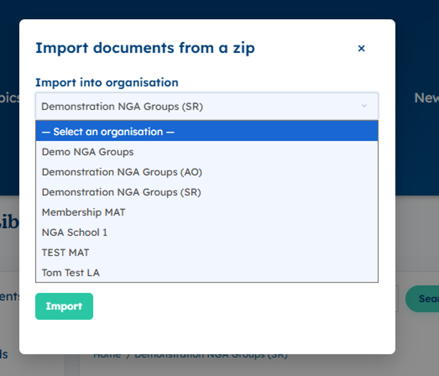
Choose the zip file from your computer and ‘Import’. These files still need to be in the correct format.
Using the library
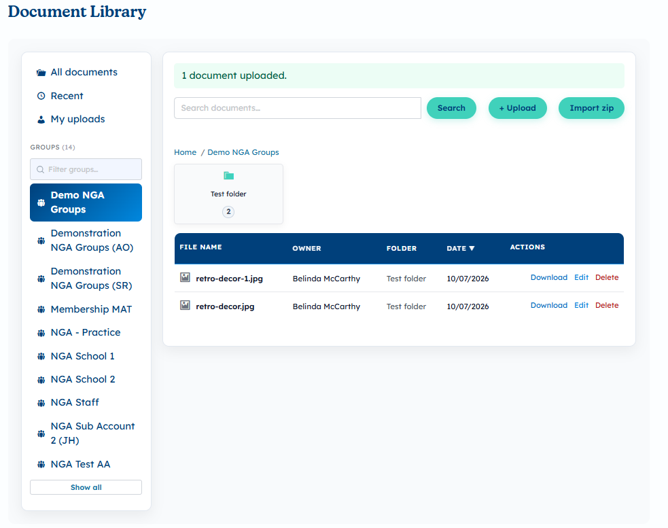
You can filter your documents by organisation or by folder.
Once a document is uploaded, everyone at the organisation it has been uploaded to will be able to view it.
Only the person who uploaded a document or the administrator on the account can remove a folder or document once it is uploaded. You will have 30 days after a document has been deleted to recover it, please contact [email protected].